An Arch-based desktop from the far north

From eitr,
a world
takes shape.

An Arch foundation. Hyprland, Quickshell and Walker, forged into one calm, theme-aware desktop. Yours to shape.

Music credits

Wild West Vikingsby Alexander Nakarada · CreatorChords ·CC BY 4.0. Re-encoded at 128 kbps and repeated for playback.

Ansuz / What it is

Old wisdom,
a modern shell.

Like Mímir's well, keeps what matters close: thoughtful defaults, a coherent look across every panel, and the knowledge to recover when things go wrong. Arch underneath, nothing hidden, everything yours.

System dossier

Base
Arch Linux, x86_64
Compositor
Hyprland
Shell
Quickshell bar and native panels
Launcher
Walker with Elephant menus
Install
Guided and fully offline from the ISO
Updates
Signed [eitr] repository
Recovery
Btrfs snapshots and factory reset

I · Power · ᚦ Thurisaz

Strike fast.

Everything is a keystroke away. Walker finds apps, settings and actions; Hyprland tiles your windows the moment they open.

II · Endurance · ᛇ Eihwaz

Hold the world.

Snapshots before every update, a signed repository, and a factory reset that brings back the first login. Built to outlast mistakes.

Yggdrasil / The nine realms

Many realms.
One living desktop.

Follow a branch. Each realm opens a different part of .
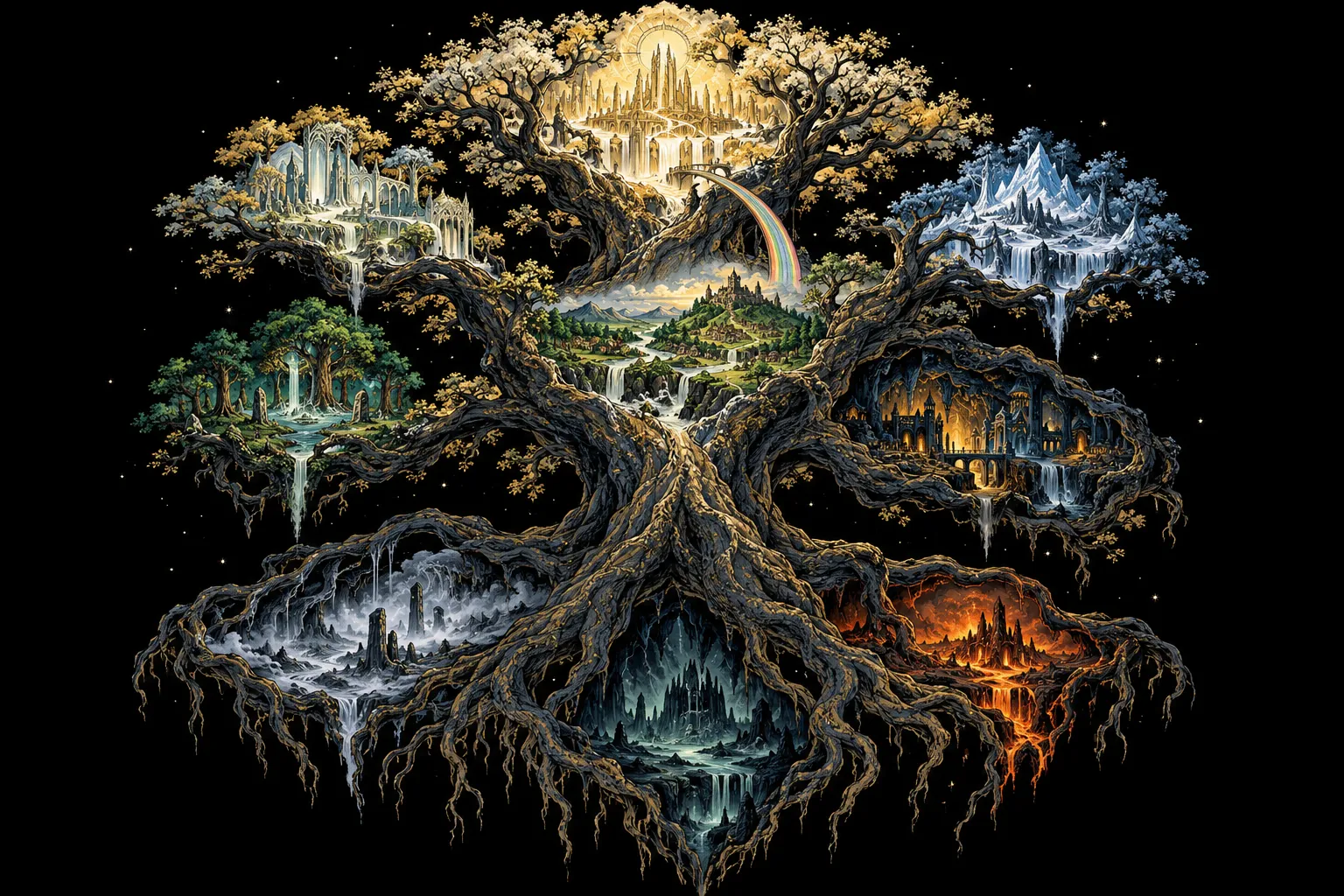
Choose a realm to explore.

Asgard / The desktop shell

One shell. Everything within reach.

Quickshell brings the bar, native panels and notifications into one theme-aware desktop.

  • Control Center, networking and audio panels
  • Calendar, weather and media controls
  • Workspace Overview with live previews
Explore the desktop ↗

Alfheim / Themes & color

20 worlds. Find your atmosphere.

A theme follows you across the bar, terminal, launcher, lockscreen, editors and apps.

  • Light and dark palettes
  • Wallpapers bundled with each theme, some of them alive
  • One selection recolors the desktop
Discover the themes ↗

Vanaheim / Make it yours

Your desktop should feel like home.

Shape the desktop through its own preferences, with personal choices that survive theme changes.

  • Square, Rounded or Extra Rounded corners
  • Bar position, transparency and centered mode
  • Workspaces as runes, numbers, glyphs or dots
See the possibilities ↗

Jotunheim / Arch & updates

An Arch foundation. Room to grow.

Eitr runs on Arch Linux for x86_64, with its own signed package repository alongside Arch’s.

  • Hyprland with a shared Lua configuration
  • Package-owned desktop components
  • System Update creates a snapshot first
Follow the roadmap ↗

Midgard / Everyday flow

Less searching. More doing.

Tiling windows, workspaces and a keyboard-first launcher keep everyday work moving.

  • Walker launches apps and finds actions
  • Apps and settings meet in organized menus
  • An offline shortcut reference stays close
Meet the desktop ↗

Svartalfheim / Tools & accounts

A place for the work you do.

Git Accounts and cloud menus make account context visible and keep personal and work identities apart.

  • Folder-specific Git identity rules
  • Explicit cloud provider and project selection
  • Shared menus for setup and daily actions
More about Eitr ↗

Niflheim / The Handbook

Old wisdom. Always close.

The offline, read-only Eitr Handbook keeps guidance inside the desktop, even without a connection.

  • Shortcuts, appearance and networking
  • Security and recovery guidance
  • Canonical distro guides in one reader
Open the guides ↗

Muspelheim / Installation

Where a new desktop begins.

The guided installer is designed to install from the packages carried on the ISO. Start in a fresh virtual machine.

  • Guided installation workflow
  • VM testing guides for Linux and Mac
  • Ymir is an alpha; public download is not offered yet
Plan your first install ↗

Helheim / Recovery

A way back when you need one.

Snapshots and documented recovery procedures help you return to a working system.

  • System Update snapshots before upgrading
  • Factory reset returns to the first-login baseline
  • Read the recovery guide and current limitations
Read the recovery guides ↗

Dagaz / The everyday desktop

Six symbols,
six promises.

Raidho · the journey

Find it. Open it. Keep moving.

Walker brings apps, settings and actions into one keyboard-first flow, leading to the same native panels as the bar.

Mannaz · the self

Make the whole desktop yours.

Pick a theme and the bar, terminal, launcher, lockscreen and apps follow. Your bar, corners, cursor and fonts stay put.

Algiz · protection

Update without fear.

The bar tells you when updates are waiting. System Update snapshots first, installs from a signed repository, and asks to restart only when it matters.

Ansuz · wisdom

The knowledge stays close.

An offline Handbook covers shortcuts, appearance, networking, recovery and Secure Boot, inside the desktop.

Othala · home

Your accounts, kept apart.

Git Accounts and the cloud menus keep personal and work identities, keys and cloud accounts separate, folder by folder.

Ehwaz · trust

One shell, one rhythm.

Bar, notifications, panels and the workspace Overview share one visual language, from login to desktop.

Sowilo / Themes

20 worlds,
one desktop.

Every theme recolors the bar, terminal, launcher, lockscreen, editors and apps at once. Each comes with its own wallpapers.

Norse theme wallpaper
Norse
Afterglow theme wallpaper
Afterglow
Catppuccin theme wallpaper
Catppuccin
Catppuccin Latte theme wallpaper
Catppuccin Latte
light
Daylight theme wallpaper
Daylight
light
Everforest theme wallpaper
Everforest
Flexoki Light theme wallpaper
Flexoki Light
light
Graphite theme wallpaper
Graphite
Gruvbox theme wallpaper
Gruvbox
Jade theme wallpaper
Jade
Kanagawa theme wallpaper
Kanagawa
Moonveil theme wallpaper
Moonveil
Moss theme wallpaper
Moss
Nord theme wallpaper
Nord
Obsidian theme wallpaper
Obsidian
One Dark Pro theme wallpaper
One Dark Pro
Rosé Pine theme wallpaper
Rosé Pine
light
Stillwater theme wallpaper
Stillwater
Tokyo Night theme wallpaper
Tokyo Night
Wisteria theme wallpaper
Wisteria
light

Fehu / Begin

Your first winter
with .

Try · recommended

In a virtual machine

Boot the ISO in a fresh VM, run the guided installer offline, and explore without touching your disk.

VM testing guide ↗

Install

On your machine

Check the ISO, write it to a USB stick, boot it and follow the installer. It can erase a disk or install beside Windows (so far tested in a VM). Everything on /dev/sdX is erased.

sha256sum -c SHA256SUMS
sudo dd if=eitr-*.iso of=/dev/sdX bs=4M status=progress oflag=sync

Honest status

0.5.0 Yggdrasil · beta

The installer, updates and recovery are tested in VMs and on the first real machines. A public download comes once hardware validation passes.

Follow the source ↗

Raidho / The road ahead

The road
to Bifröst.

Each release takes its name from the old stories, from the first being to the bridge between worlds.

  1. 0.3

    Ymir alpha

    The first being, born of eitr.

    Desktop code shipped by the package; offline installer, signed package repository, factory reset, dual boot.

  2. 0.4

    Audhumla alpha

    The cow whose milk fed Ymir.

    Updates through System Update, tested from the previous release.

  3. 0.5

    Yggdrasil now · beta

    The world tree that holds the realms.

    Automated VM install, upgrade and reset tests.

  4. 0.6

    Mímir beta

    The well of wisdom.

    First public preview: a download for early users.

  5. 0.7

    Huginn beta

    Odin's raven of thought.

    Fixes from early users' real-hardware installs; release-candidate hardening.

  6. 1.0

    Bifröst stable

    The burning bridge between worlds.

    Supported upgrades between releases.

Isaz / Questions

Asked at
the fire.

Is a distribution?

EITR is an Arch Linux desktop: Arch underneath, with EITR's shell, menus, themes and tools on top, installed by its own guided installer and updated through its own signed repository alongside Arch's.

Do I need internet to install?

No. The ISO carries every package, so the guided install runs fully offline. Updates afterwards come from Arch and the [eitr] repository.

Can I break it with an update?

System Update takes a Btrfs snapshot before every upgrade, so a bad update can be rolled back, and a factory reset returns to the first login.

Is it ready for daily use?

Not yet for everyone. 0.5.0 Yggdrasil is an beta: real-hardware validation is in progress, so a public download is not offered yet.

Does it phone home?

No accounts, no telemetry. Features that need the network, like weather and updates, talk directly to their own services.